Coming soon · Fusion connector · Runs locally

From triangles to toolpaths.

Scan the part. Get an exact replica with its hardpoints as named parameters, plus the Fusion toolpaths to cut it. Unfacet runs on your machine, so your scans never leave it. Not on Fusion? Send us your scan.

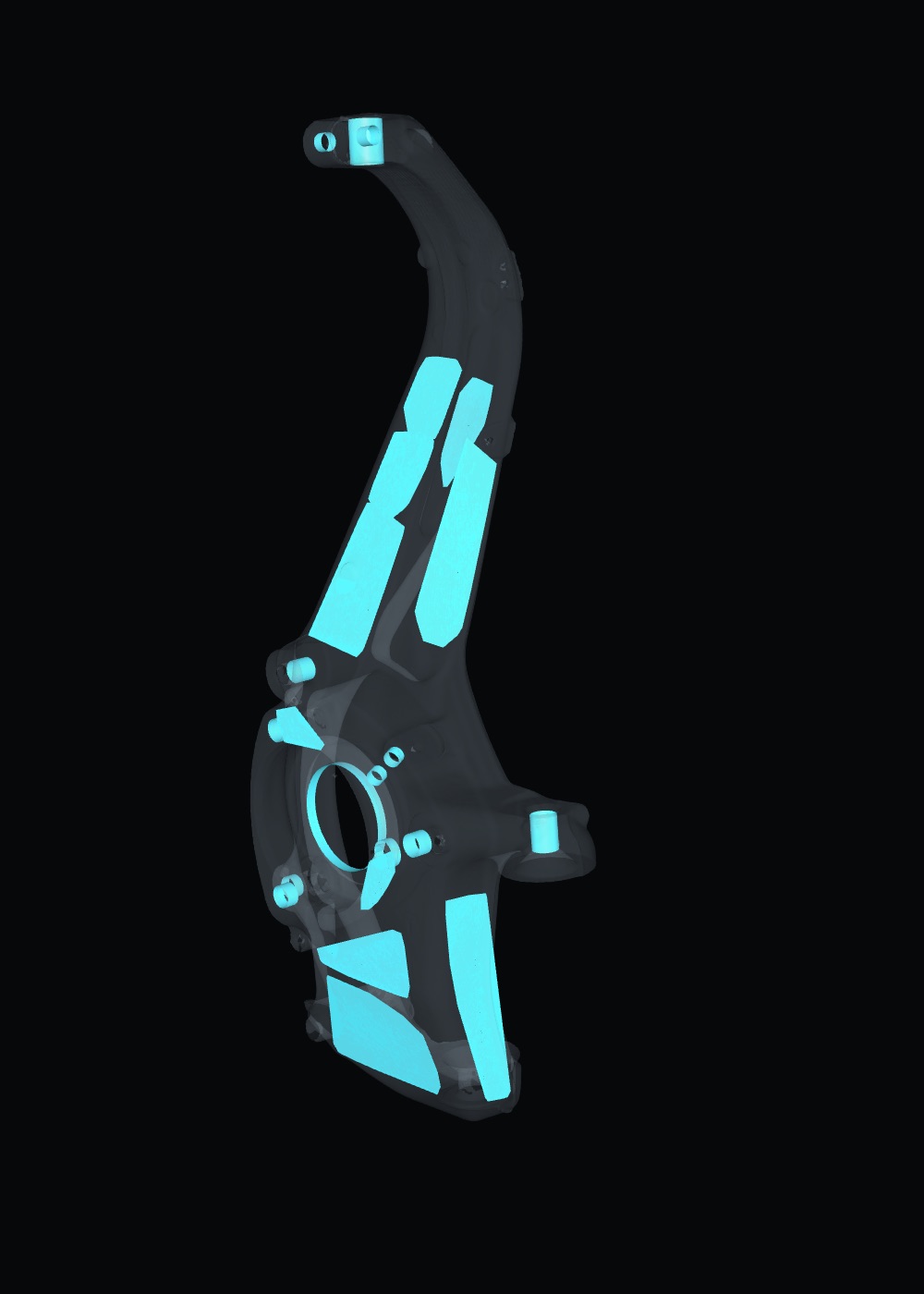
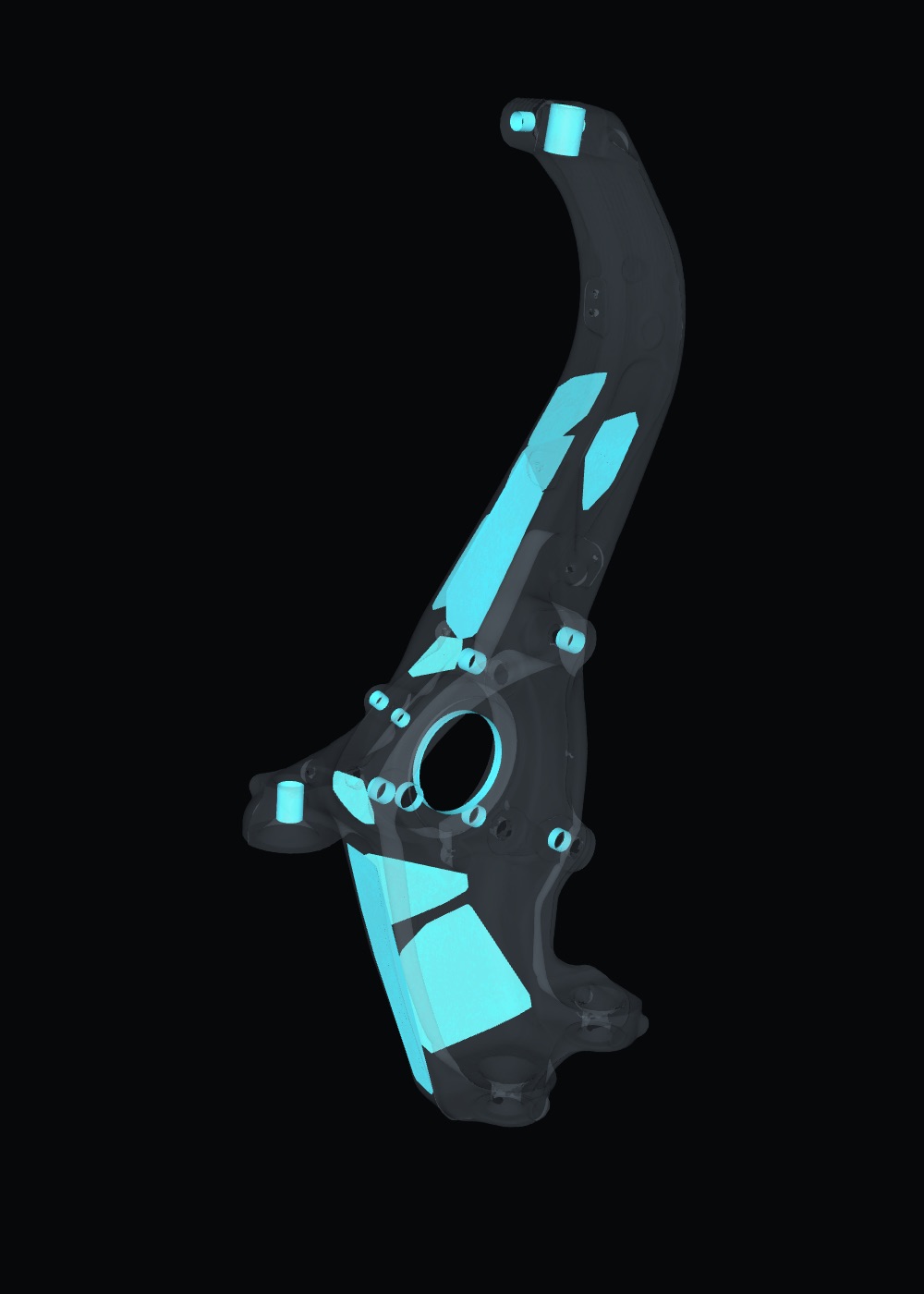
Scanned front knuckle, shown translucent, with exact bores and flat mounting faces fitted to itScan
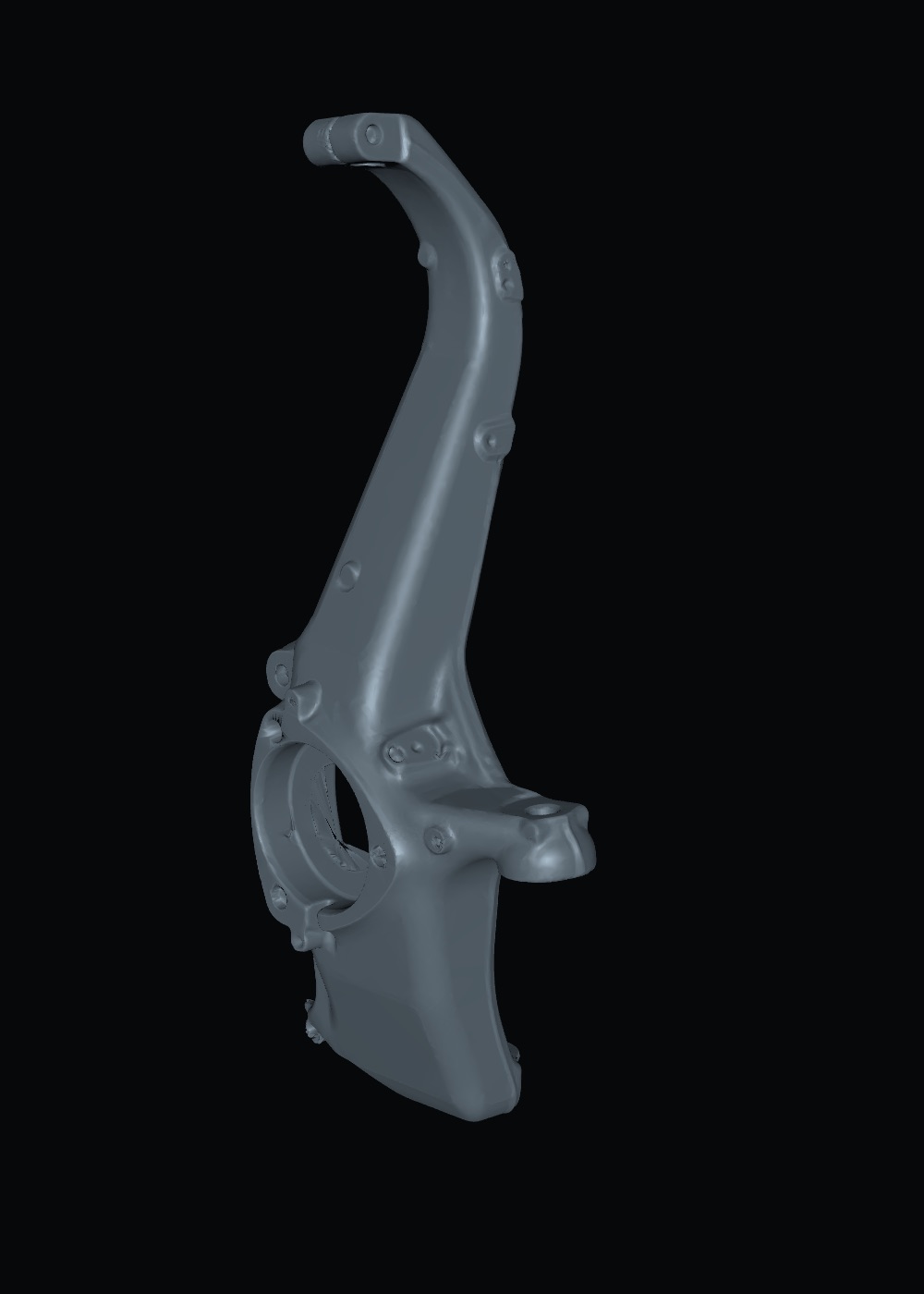
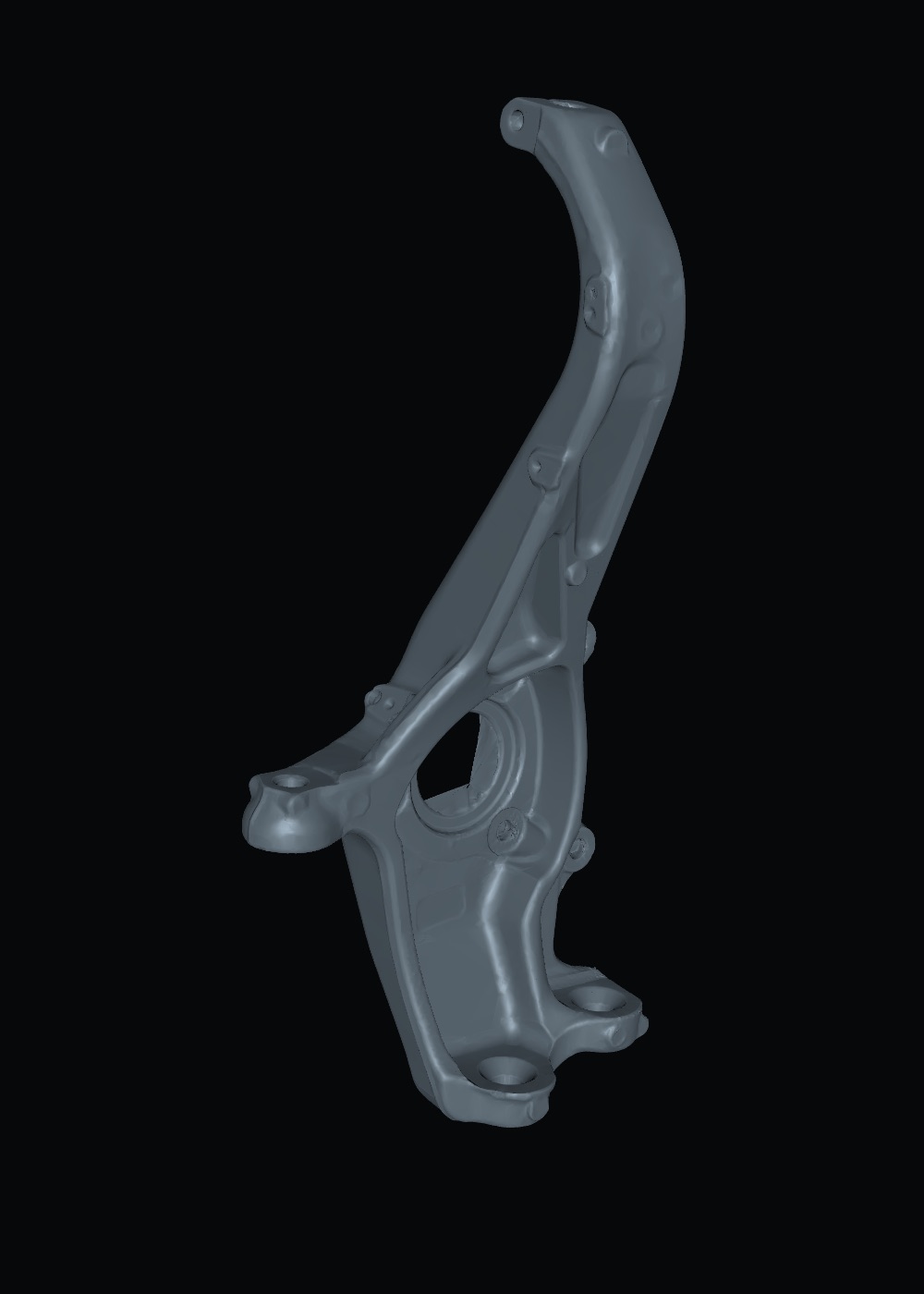
Exact replica of the scanned knuckle as one closed CAD solidResult · development render
Demo part: a Model 3 front knuckle. Left: the scan with exact bores and mounting faces fitted (Tier 1). Right: a development render of the exact replica (Tier 2, shipping Nov 19), one closed solid with those hardpoints built in.

How it works

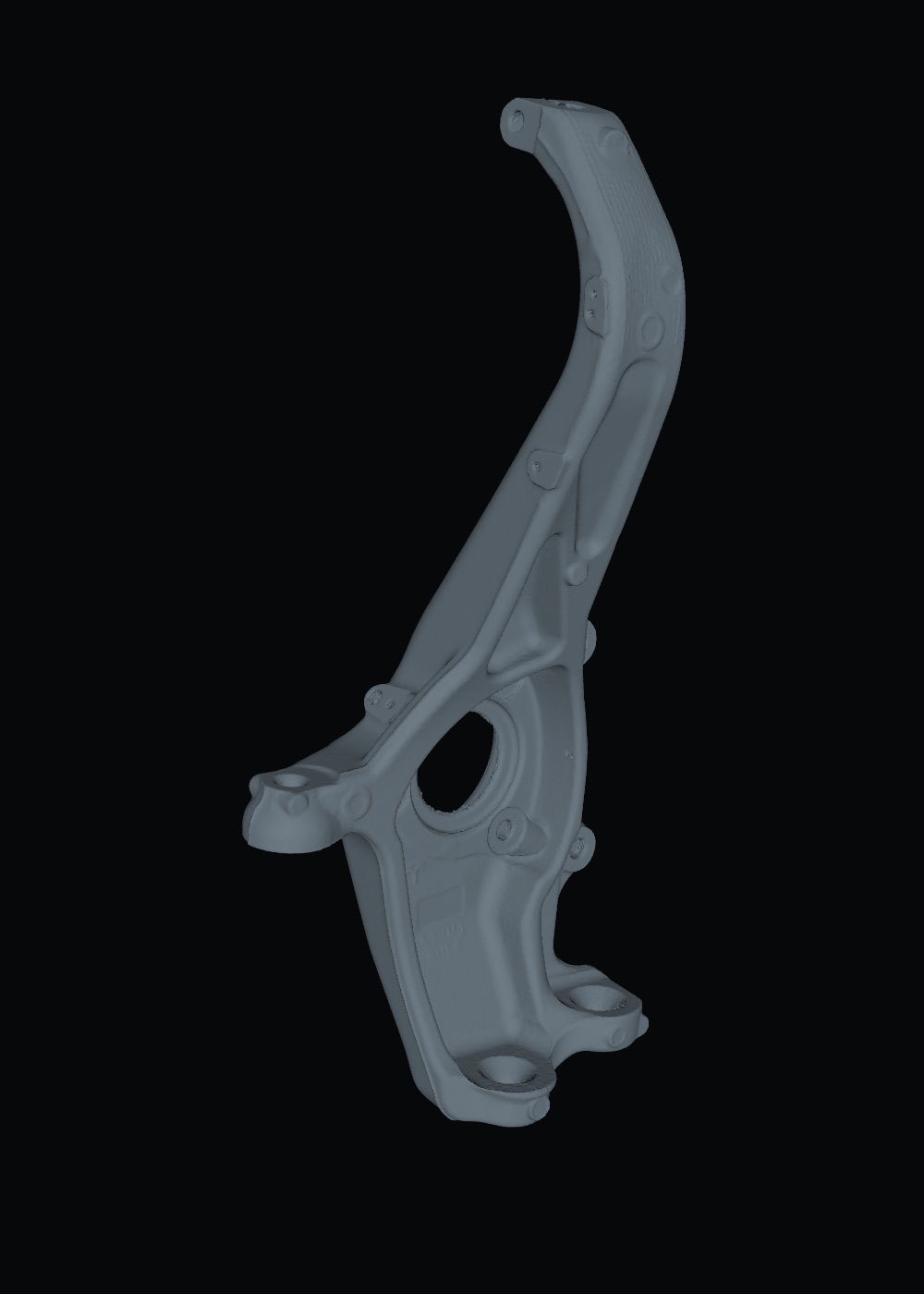
Grey scan mesh of the knuckle The knuckle scan, ghosted, with fitted bores and mounting faces Exact replica of the knuckle as one closed CAD solid
  1. 1

    Scan

    Scan the part and open the STL with the Unfacet connector in Fusion. The engine runs on your machine; the scan never gets uploaded.

  2. 2

    Hardpoints

    Exact holes, bores and mounting faces come back as real geometry in Fusion, driven by named parameters like bearing_bore.

  3. 3

    Exact replica

    Get the actual part as one closed, valid solid that matches the scan, with the hardpoints exact and named.

    Development render

  4. 4

    Toolpaths Beta

    Then Fusion CAM toolpaths on that real shape, set up and ready for you to check and post.

    Toolpath preview (beta): stock outline only, not real CAM output

Measured, not promised

Demo part: a front knuckle, scanned at 1.41M triangles. Each figure below is measured on that scan, and every fit is checked against it.

Bores recovered
13/13
Each bore is fitted to the scan points, then checked against the scan.
Mounting faces recovered
10/10
Each flat face is fitted the same way and checked against the scan.
Named parameters
28
Counted on the output: every hardpoint is driven by a named, editable value.
Rebuild errors
0
Editability test: sizes changed, the model rebuilt, then restored exactly.
Raw grey scan mesh of the knuckleScan
The same scan, ghosted, with fitted bores and mounting facesHardpoints
Side by side: the scan, and the bores and mounting faces Unfacet fitted to it (Tier 1).
Development render of the replica as one closed CAD solidReplica
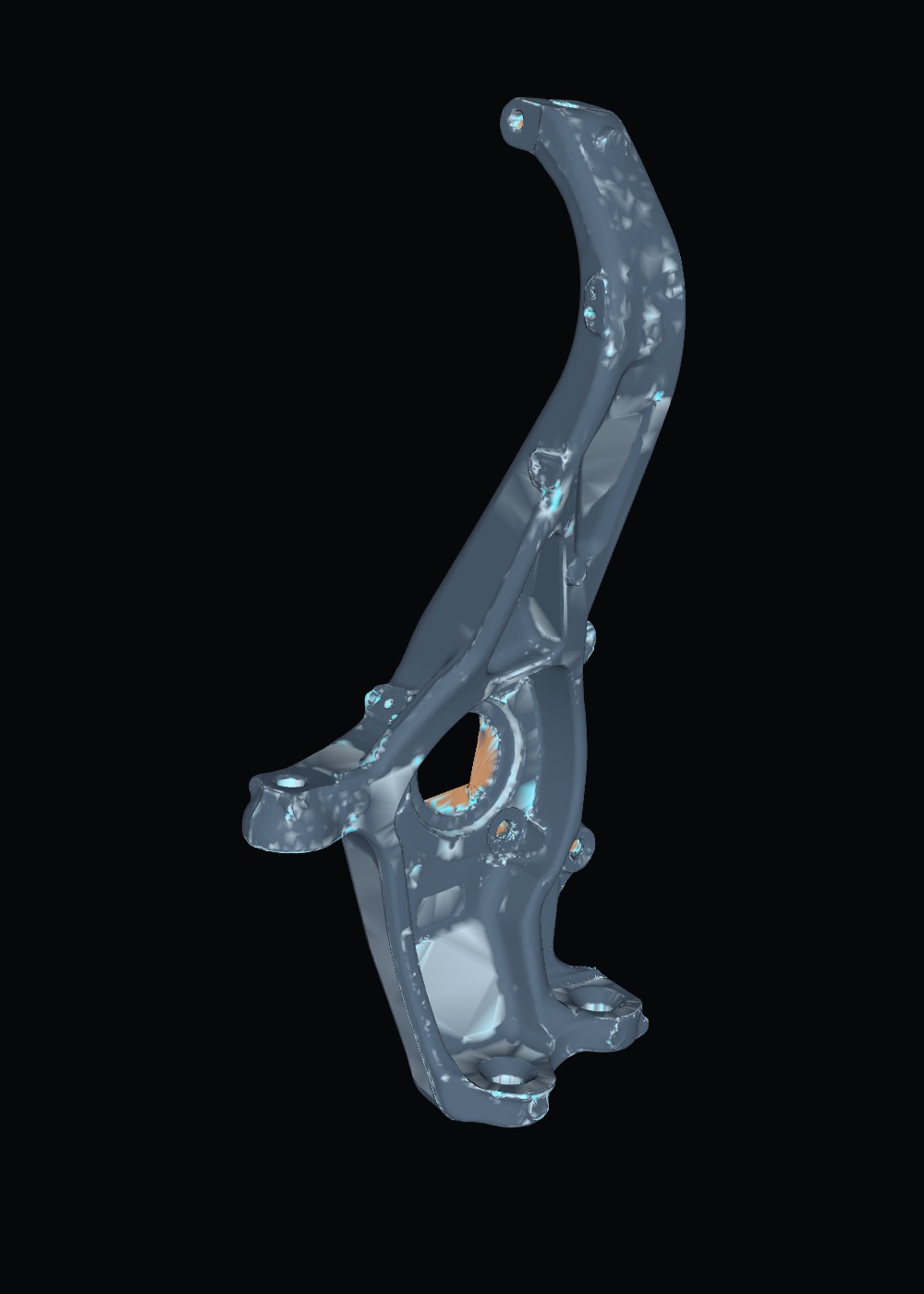
Development render of the replica, coloured by its distance to the scanDeviation
≤ 0.1 mm0.30.5≥ 1.5 mm Development render, development build: one closed, valid solid; holes and flats within 0.17–0.18 mm of the scan. Not final; the replica is still in development.

Three tiers, honestly labelled

Available at launch

Tier 1 · Hardpoints

Exact holes, bores and mounting faces as named, editable parameters in Fusion. The part of the scan you actually design and cut against.

  • Bores, bolt holes, flat faces
  • Named parameters in Fusion
  • 13/13 bores, 10/10 faces on the demo
  • Included in the one plan
Available at launch

Tier 2 · Exact replica

The actual part: one closed, valid solid matching the scan, with the hardpoints exact and named. Includes Tier 1.

  • A real solid, not a mesh
  • Hardpoints exact, as named parameters
  • Included in the one plan
Beta

Tier 3 · Replica + toolpaths

The exact replica plus Fusion CAM setups on the actual part shape, ready for you to check and post. Includes Tiers 1 and 2.

  • Fusion CAM setups on the real shape
  • Simulated on the actual machine code
  • Included in the one plan while in beta

Test it on your part

Test it on your own part: 3 jobs, deviation report included.

The numbers above are from our demo part. Run yours: every bore and face Unfacet fits is checked against your scan, and you see how far each one sits from it.

  • 14-day free trial
  • 3 jobs
  • No card
  • Runs on your machine

After the trial: one plan, $49/month or $490/year. Full pricing is in the FAQ.

Who it's for

  • Motorsport & restomod builders making uprights, brackets and mounts that bolt to existing hardpoints.
  • Job shops & machinists who get handed a worn part and asked to make another.
  • Fabricators building around parts nobody has drawings for.
  • Reverse-engineering shops that want design intent, not just a surface.
  • SPFX & prop shops whose rigs have to bolt onto scanned parts.
  • Shops on SolidWorks, Onshape or anything else: send us the scan (below).

Not on Fusion? Send us your scan

  • You send the STL
  • We run it
  • You get a STEP replica
  • + toolpaths
  • Any CAD that opens STEP

We run the part through Unfacet and send back a STEP of the exact replica you can open in SolidWorks, Onshape, Inventor, Rhino or anything that reads STEP, plus Fusion toolpaths to cut it. $149 per part. Your upload is deleted after 30 days, and we don't train on your parts.

FAQ

What kinds of parts?

Mechanical parts with holes, bores and flat mounting faces: knuckles, uprights, brackets, housings, covers. Those are the features Unfacet fits exactly and turns into parameters. The demo is a scanned Model 3 front knuckle.

Which scanners and file formats work?

Any scanner or app that exports a mesh. Unfacet reads STL today (OBJ and 3MF are planned). We test with scans like those from Revopoint, Creality and EinScan units; cleaner, denser scans give better fits.

Which CAD does it work with?

At launch, Fusion, through the Unfacet connector: hardpoints arrive as named parameters, the replica as a solid, and toolpaths in the Manufacture workspace. On another CAD, use the "send us your scan" service and get a STEP back. Tell us your CAD when you sign up: those answers decide what we build next. A web version is planned for later.

Do I need Fusion? Which version?

For the connector, yes: a current Fusion install. Tier 3 toolpaths use Fusion's Manufacture workspace, so what you can post depends on your own Fusion plan. Without Fusion, send us the scan instead. We'll publish exact requirements before launch.

Mac or Windows?

The connector and its local engine come to Mac first, with Windows next. We'll publish exact requirements before launch.

Where do my scans go?

Nowhere. The engine runs on your machine, so your scans never leave it. If you use the send-us-your-scan service, your upload is deleted 30 days after it arrives. We don't train on your parts.

What will it cost? What is founder pricing?

One plan: Unfacet is $49/month or $490/year, with everything that's live included (Hardpoints and Exact replica, plus Replica + toolpaths while it's in beta). Start with a 14-day free trial: 3 jobs, no card. Plans include 40 jobs a month; extra jobs are $10 per 25. Founder price: the first 150 annual subscribers pay $390/year, locked for as long as they stay subscribed, refundable within 30 days. Send-us-your-scan jobs: $149 per part. Pricing can still change before launch, and signing up takes no payment.

How accurate is it?

It can't be more accurate than your scan. Holes and faces are fitted to many scan points, so they're usually cleaner than the raw mesh, and each fit is checked against the scan. On the demo knuckle, all 13 bores and 10 mounting faces were recovered. The replica is checked against the whole scan surface too; on the current development build, holes and flats sit within 0.17–0.18 mm of the scan, and that figure is not final. Always measure critical dimensions on the real part.

What about organic or sculpted shapes?

That's not what Unfacet is for. It's built and tested on mechanical parts; a sculpt or a freeform body has no holes or flat faces to turn into parameters.

When does it ship?

Planned for Nov 19. Hardpoints and Exact replica ship at launch; Replica + toolpaths ships as a beta. The early-access list hears first.
Judge it on your own part.

Get early access